If you have ever worked with a translation agency, a localization platform, or a professional translator, you have probably heard the word XLIFF. But what exactly is it, and why does it matter?
This article explains XLIFF in plain terms, with no programming knowledge required.
The simple answer: XLIFF is a container
XLIFF stands for XML Localization Interchange File Format. The name sounds technical, but the idea is simple.
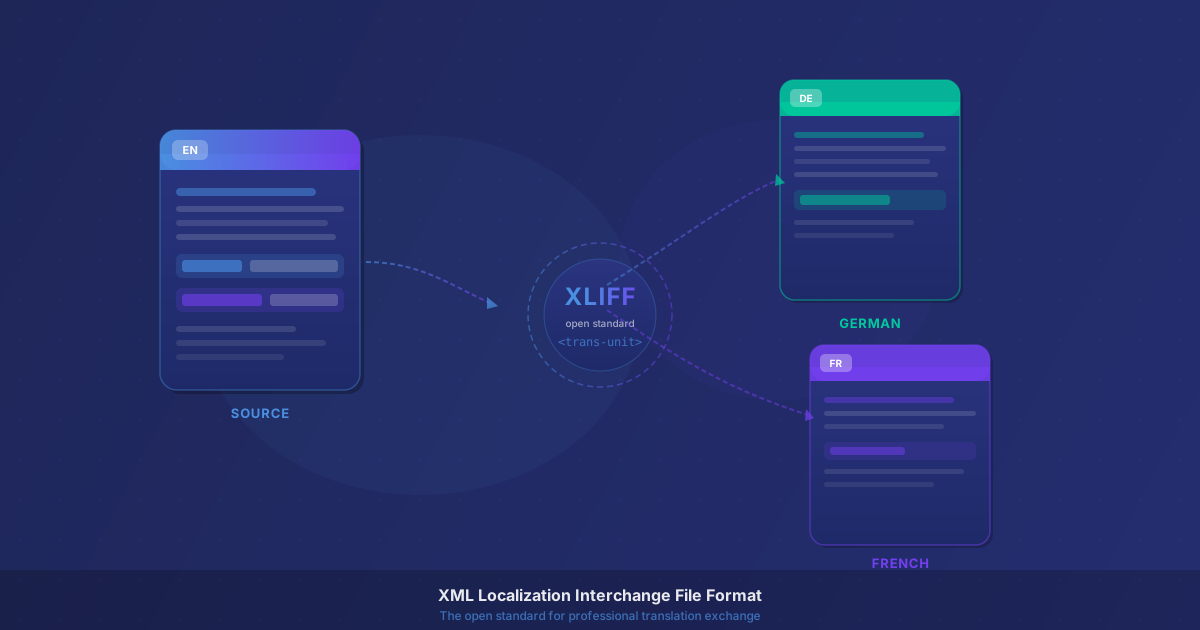
XLIFF is a container. It takes the text from your website, your software, or your document, packages it in a standardized format, and hands it to a translator, without the translator ever needing to touch your original files.
When the translation is done, the XLIFF file comes back to you. Your tool then puts the translated text exactly where it belongs in the original structure.
Think of it like a shipping box. The content (your text) goes into the box. The box travels to the translator. The translated content comes back in the same box. Then you unpack it and everything is in the right place.
What problem did XLIFF solve?
Before XLIFF existed, sharing content for translation was complicated and fragile.
If you had a website, a developer might extract translatable strings by hand. If you had a technical manual, a translator might work in a copy-pasted Word document, and then someone would spend hours manually putting the text back into the original layout afterward, fixing broken formatting along the way.
This process was slow, expensive, and prone to errors. Formatting got lost. Context was missing. Translators could not tell where text appeared or how it was used. And every time the source document changed, the whole painful process had to start again.
XLIFF was created to fix this. It is an open standard maintained by OASIS, the same international body that oversees other widely-used technical standards. It gives everyone in the translation workflow, from authors and project managers to translators and tools, a common format they all understand.
What does XLIFF actually contain?
An XLIFF file is a structured XML document. You do not need to open or edit it manually. Your software creates it for you. But understanding what is inside helps you work more confidently with translation workflows.
Each piece of translatable text is stored in a translation unit. Every translation unit contains:
- A source segment: the original text in your language
- A target segment: where the translated text will go
- A unique ID: so the file always knows exactly where each piece belongs
If the text contains formatting, such as bold or italic words, hyperlinks, variable references, or special codes, those are preserved inside the translation unit as inline elements. A translator sees them as placeholder codes and knows to keep them in the right position within the translated sentence.
This means the translator works only with text. They never touch formatting commands, XML tags, or the underlying structure of your document.
Where is XLIFF used?
XLIFF is used across many industries and workflows where content needs to be translated at scale.
Software localization is one of the most common uses. When a software company wants to release their app in multiple languages, they export the user interface strings, such as buttons, menus, labels, and error messages, as XLIFF. Translators work on the XLIFF using their preferred tools, and the developer imports the translated file back. No code changes needed, no risk of breaking anything.
Website content management works similarly. Content management systems and publishing platforms can export page content as XLIFF. An entire multilingual website can be managed through XLIFF workflows, with translators working in their own environment without ever logging into the CMS.
Technical documentation is where XLIFF is particularly powerful. Authoring tools used for professional documentation, such as Adobe FrameMaker, Paligo, MadCap Flare, and Oxygen XML, can export their content as XLIFF. This lets complex manuals, product guides, and structured help content flow smoothly to translators and back, with all the headings, tables, warnings, and cross-references preserved exactly as they were.
Marketing and product content, such as catalogs, brochures, and product descriptions, also moves through XLIFF in larger organizations, especially those maintaining content in 5, 10, or 20+ languages.
XLIFF 1.2 and XLIFF 2.x: What Is the Difference?
There are two generations of XLIFF in active use today.
XLIFF 1.2 is the older version and still the most widely supported. Almost every authoring tool, CAT tool, and translation management system understands XLIFF 1.2. If you receive an XLIFF file and are not sure which version it is, there is a good chance it is 1.2.
XLIFF 2.x (versions 2.0 and later) is the newer standard. It is more flexible, more extensible, and better suited to complex content structures. Support for it is growing steadily, but not every tool supports all features of XLIFF 2.x yet.
For most teams starting out, XLIFF 1.2 is the safe default. If your tools support 2.x and you need its additional capabilities, it is worth exploring.
Why do professional translation workflows rely on XLIFF?
Translators can use their own tools. Professional translators work in specialized software called CAT tools (Computer-Assisted Translation tools), such as memoQ, Trados Studio, Phrase (formerly Memsource), or Wordfast. All of these tools read and write XLIFF natively. Your translators receive a file they already know how to handle.
Translation memory saves time and money. Every segment a translator approves is stored in a translation memory, a database of previously translated content. When you send an update to your documentation next month or next year, segments that were already translated do not need to be translated again. Over time, this significantly reduces both cost and turnaround time.
Terminology stays consistent. With XLIFF-based workflows, translators can use glossaries and terminology management tools that plug into their CAT software. Product names, technical terms, and brand language stay consistent across all your documents, all your languages, and all your translators.
Structure is always preserved. Because the document structure is encoded in the XLIFF, nothing gets lost in transit. There is no reformatting step after translation. The translated document rebuilds itself to match the original layout.
Multiple formats, one workflow. Whether your content started in a Word file, an XML document, a structured authoring system, or a software localization platform, XLIFF is the shared language that ties all of these together. One workflow, many sources.
Is XLIFF only for technical people?
Not at all. Many of the people who work with XLIFF every day, such as translation project managers, documentation specialists, and localization coordinators, never write code or edit XML. They interact with XLIFF through the interface of their authoring tool or project management platform.
If you manage technical manuals, product documentation, or multilingual website content, XLIFF is likely already part of your process, even if you have never seen the raw file. Understanding what it does helps you ask better questions, choose better tools, and build more reliable translation processes.
XLIFF is the foundation of professional translation workflows for a reason. It is a well-designed, stable, widely-supported standard that solves a real problem, and once your workflow uses it, it keeps paying dividends every time you add a new language or update your content.
Want to put XLIFF to work right now? Upload your XLIFF file to AI-DocTranslate and get a translated, structure-preserved output in minutes. No manual setup required.